

Description
Easy Label Printing with Google Sheets
Overview
Avery Easy Merge is a productivity-focused tool designed to streamline the process of creating personalized labels, cards, and name tags using data from Google Sheets. It bridges the gap between spreadsheet data and physical print outputs by enabling users to import and format information directly into Avery Design & Print Online. This integration is particularly useful for individuals and teams managing large-scale mailing campaigns, event planning, or classroom organization. The software eliminates the need for manual data entry, reducing errors and saving time.
Target users include small business owners, educators, event coordinators, and home users who frequently print personalized materials. Its seamless workflow allows for quick transitions from digital data to printed results. The tool operates as a web-based add-on, meaning it does not install locally but functions within the browser environment. The developer did not provide additional details about the organization behind the tool, but its integration with Avery’s ecosystem suggests alignment with Avery’s broader product suite.
Real-world use cases include printing holiday mailings, wedding place cards, meeting name badges, and classroom labels. The tool supports a variety of Avery products, making it adaptable to diverse needs. Users must maintain an active internet connection and access to the avery.com website to use the full functionality. An account with avery.com is required to save and manage merged projects.
Key Features & Capabilities
- Google Sheets Integration – Directly import data from Google Sheets to use in Avery label and card designs. This feature supports dynamic data updates, ensuring that printed materials reflect the most current information.
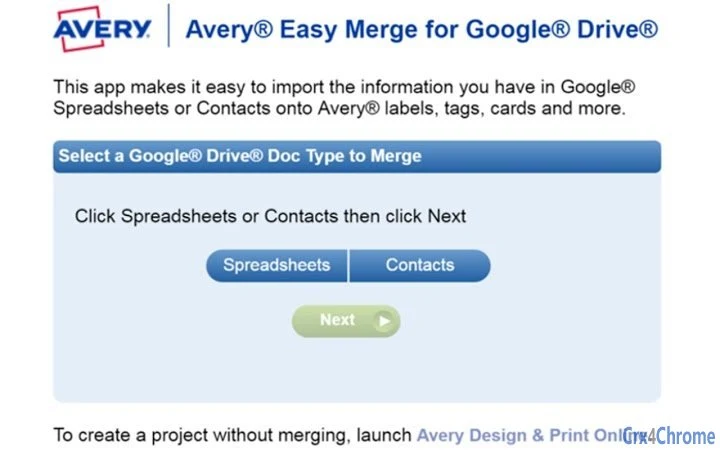
- Seamless Merge Workflow – A simple, step-by-step process guides users through selecting data sources, formatting content, and launching the design interface. This reduces the learning curve and improves efficiency.
- Access to Avery Design & Print Online – Once merged, users are directed to the full design platform, where they can customize fonts, colors, images, shapes, and layouts to match their branding or event theme.
- Support for Multiple Avery Products – Compatible with a wide range of Avery products, including address labels, shipping labels, name badges, tent cards, and place cards, offering versatility across personal and professional use.
- Project Storage and Reuse – With an avery.com account, users can save merged projects for future editing and reprinting, enhancing workflow continuity.
For example, an event planner can pull guest names and table numbers from a Google Sheet, merge them into a template, and instantly generate personalized place cards. Similarly, a teacher can use student names and class assignments to produce classroom labels in minutes. The tool’s ability to maintain data integrity during transfer ensures accuracy and consistency in output.
User Interface, Workflow & Performance
The user interface is web-based and operates within the browser environment, relying on the Avery Design & Print Online platform for visual editing. Navigation is straightforward, guided by a linear workflow: initiate the add-on, review permissions, select data, format, and proceed to design. The interface is clean and functional, with clearly labeled buttons and intuitive layout elements.
Workflow efficiency is high due to the minimal number of steps required to move from data import to print-ready design. Users do not need to manually copy or reformat data, as the tool handles alignment and spacing automatically. The performance of the tool is dependent on the browser, internet speed, and the complexity of the data being processed. The developer did not specify resource usage details, so exact CPU or RAM behavior cannot be confirmed.
Stability appears consistent within the expected behavior of web applications. Since the tool runs online, performance may vary based on server load and network conditions. No local installation means no system conflicts or background processes, which contributes to a stable user experience. Users should expect minimal latency when using the tool with moderate-sized datasets.
Compatibility & System Requirements
Avery Easy Merge is compatible with Windows, Mac, and Linux operating systems, making it accessible across major desktop platforms. As a browser-based tool, it does not require a dedicated installation or specific hardware configuration. The developer did not specify exact system requirements, so users should ensure their devices support modern web browsers and have a stable internet connection.
Installation size is not provided, but since the tool functions as a web app add-on, no local file storage is required. The software relies entirely on cloud services, including the avery.com website and Google Sheets. This reduces the burden on local systems and enables cross-device access when using the same account.
Users should note that compatibility is contingent on access to the Google Workspace ecosystem and an active internet connection. The tool does not function offline, and data remains hosted on external platforms. Platform compatibility information is limited to the operating systems listed.
Pros and Cons
Pros
- Free to use with no hidden costs
- Direct integration with Google Sheets for fast data import
- Supports a wide range of Avery products for versatile printing
- Intuitive, step-by-step workflow reduces user error
- Projects can be saved and reused via avery.com account
Cons
- Requires an internet connection and avery.com account
- Not available as a standalone desktop application
- Dependent on third-party services (Google Sheets, avery.com)
- No offline functionality
- Performance may vary based on network speed
FAQ Section
Is Avery Easy Merge free to use?
Yes, the software is completely free. There are no subscription fees or hidden charges for using the tool or accessing its core features.
What operating systems does it support?
Avery Easy Merge is compatible with Windows, Mac, and Linux systems. It runs through a web browser, so no local installation is required.
Do I need an account to use the tool?
Yes, an account on avery.com is required to store and manage merged projects. This account is also necessary to access the full design and printing features.
Can I use it without an internet connection?
No, the tool requires a stable internet connection to access Google Sheets, the avery.com website, and the design platform. It does not support offline use.
Is the data I merge secure?
The tool uses standard web security protocols. Data is processed through Google Sheets and avery.com, both of which follow industry-standard security practices. However, users should review the privacy policies of these platforms for full transparency.
Final Thoughts
Avery Easy Merge offers a powerful, no-cost solution for users who regularly print personalized labels, cards, and name tags. Its seamless integration with Google Sheets and access to the full Avery Design & Print Online suite make it a standout tool in the productivity space. While it depends on external services and requires constant connectivity, its ease of use, versatility, and free access outweigh these limitations for most users.
It is ideal for educators, event planners, small business owners, and anyone managing recurring print tasks. The ability to merge data quickly and design professionally without technical expertise makes it a valuable addition to any digital workflow. With its straightforward interface and robust feature set, it delivers real-world efficiency.
Download Avery Easy Merge now
Guides & Tutorials for Avery Easy Merge App for Chrome
How to install Avery Easy Merge App for Chrome
- Click the Preview / Download button above.
- Once redirected, accept the terms and click Install.
- Wait for the Avery Easy Merge App for Chrome download to finish on your device.
How to use Avery Easy Merge App for Chrome
This software is primarily used for its core features described above. Open the app after installation to explore its capabilities.
User Reviews for Avery Easy Merge App for Chrome 0
No reviews found





